


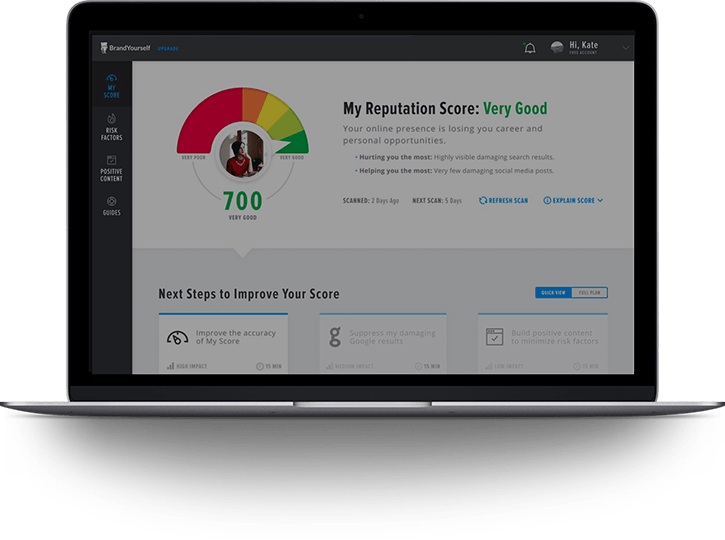








75% of employers Google your name before hiring you. What they find can make or break your career.
Improve your online reputation.
Protect your online privacy.
AS FEATURED ON:
Our software and services make it easy to:
Your life is impacted by information about you online.
-
 Landing jobs and clients.
 -
 Selling products or services.
42% of adults will research you online before deciding to work with you.
-
 Applying to college or a visa.
College admissions and government visa officers now screen applicants online.


-
 Avoiding identity theft and hacks.
Every two seconds an identity is stolen because personal info is exposed online.
-
 Preventing spam and telemarketers.
16 billion spam emails are sent daily to people whose contact info is exposed online.
-
 Protecting sensitive personal info.
Data brokers track and sell information about you without your consent.



We make it easy to control your online reputation and privacy.
-
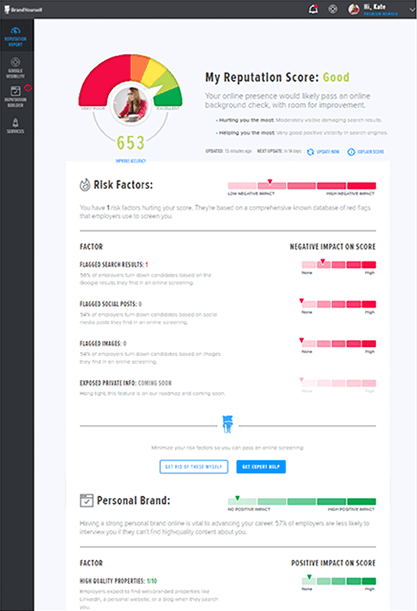
Scan for risk factors.
See if you have anything that could put your privacy or reputation at risk, including exposed private info, unflattering Google results, or unprofessional social media posts or images.
-
Impress people who look you up online.
Follow your customized action plan to look great in Google and clean up your social media profiles.
-
Protect your sensitive personal info.
Automatically remove your address, date of birth, phone and more from sites that expose them to reduce your privacy risk.
Get My free scan NOW
Takes 60 seconds. No credit card required.
Join nearly a million people using BrandYourself:
Software
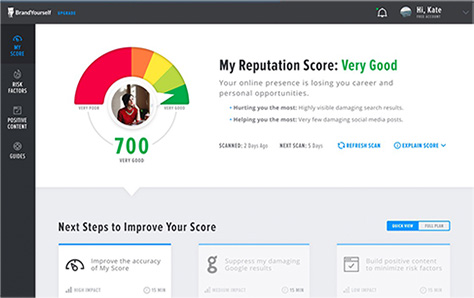
Improve your online reputation and privacy. Get your free risk scan, Reputation Score and customized personal branding action plan.
Start with a free scan.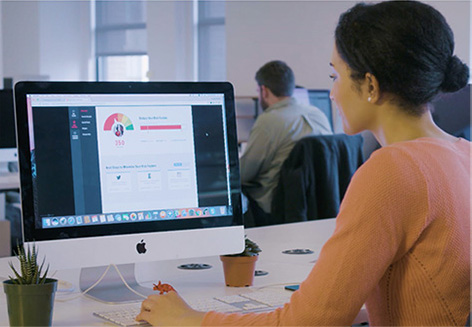
Managed Services
For individuals: For businesses:
Partners
We offer back-end fulfillment of online reputation management services, so you can deliver more value to your customers. Learn more.
API & Risk Scan Technology
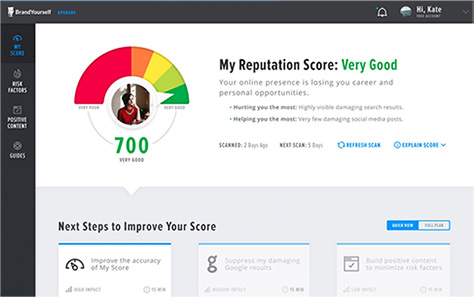
Use our powerful technology to help your members scan their social media, Google results, and private info for risk factors – and take control. Learn more.
Call or live chat us to learn how we can help.
I completely trust BrandYourself with my online presence. Give them a call.Aviva Leebow Wolmer, CEO, Personal Branding Services Customer
Don’t take our word for it. Here’s what the press has to say:

BrandYourself is much needed, because when people come to work for me we look them up.Daymond John

BrandYourself is the digital version of combing your hair before an interview.National Public Radio

Wonder who might be Googling you? BrandYourself can help you find out where, when and how others are searching for you.CNBC

BrandYourself is sophisticated, elegant and user-friendly. I used it to to improve my search presence.CBS News

Everybody should check out BrandYourself. It helps makes sure the first thing that someone sees when they Google you is a good thing.Fox News

BrandYourself works. It provides tactics and tools to increase or reduce the visibility of your Google results.Huffington Post
People just like you use BrandYourself every day:

I used BrandYourself to raise my patient's reviews higher in Google. Now more people are finding my website and joining my practice.Dr. David G., Doctor

I have a very common name, which makes competition for Google rankings fierce. With BrandYourself, I now own my top 3 results.Brad H., Investor

Before BrandYourself, my photography work didn't show up in Google. After BrandYourself, business has increased by 300%.Jason G., photographer

For the first time in 5 years, there’s nothing misleading about me on the 1st page of Google. You cannot imagine what a relief that is.Sarah M.

My acting work now pops up when agents/directors search my name. And I get alerts that let me know where inquiries come from!Alfretz C., Actor

Using BrandYourself my personal website jumped from nowhere to my #1 Google result. Nice.James W., Speaker
Not sure where to start?
-
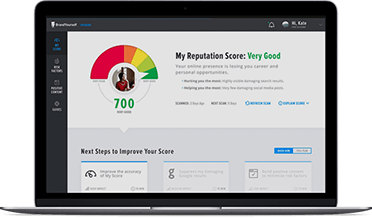 Get Your Free Risk Scan
Get your free Reputation Report to see if you have unflattering Google results, unprofessional social media posts, or exposed private info online.
Free scan takes 60 seconds. No credit card required. -
 Give us a Call
We’re here to help you understand your options. Whether you’re an individual or business, we can help you improve how you look online and protect your personal info.

